
Forge
Plan The Work. Send The Crew.
Build the plan and execute it without handoffs between tools. Forge ties who is scheduled to who actually gets sent to the site, with confirmations and changes flowing through the same system your managers and crews already use.
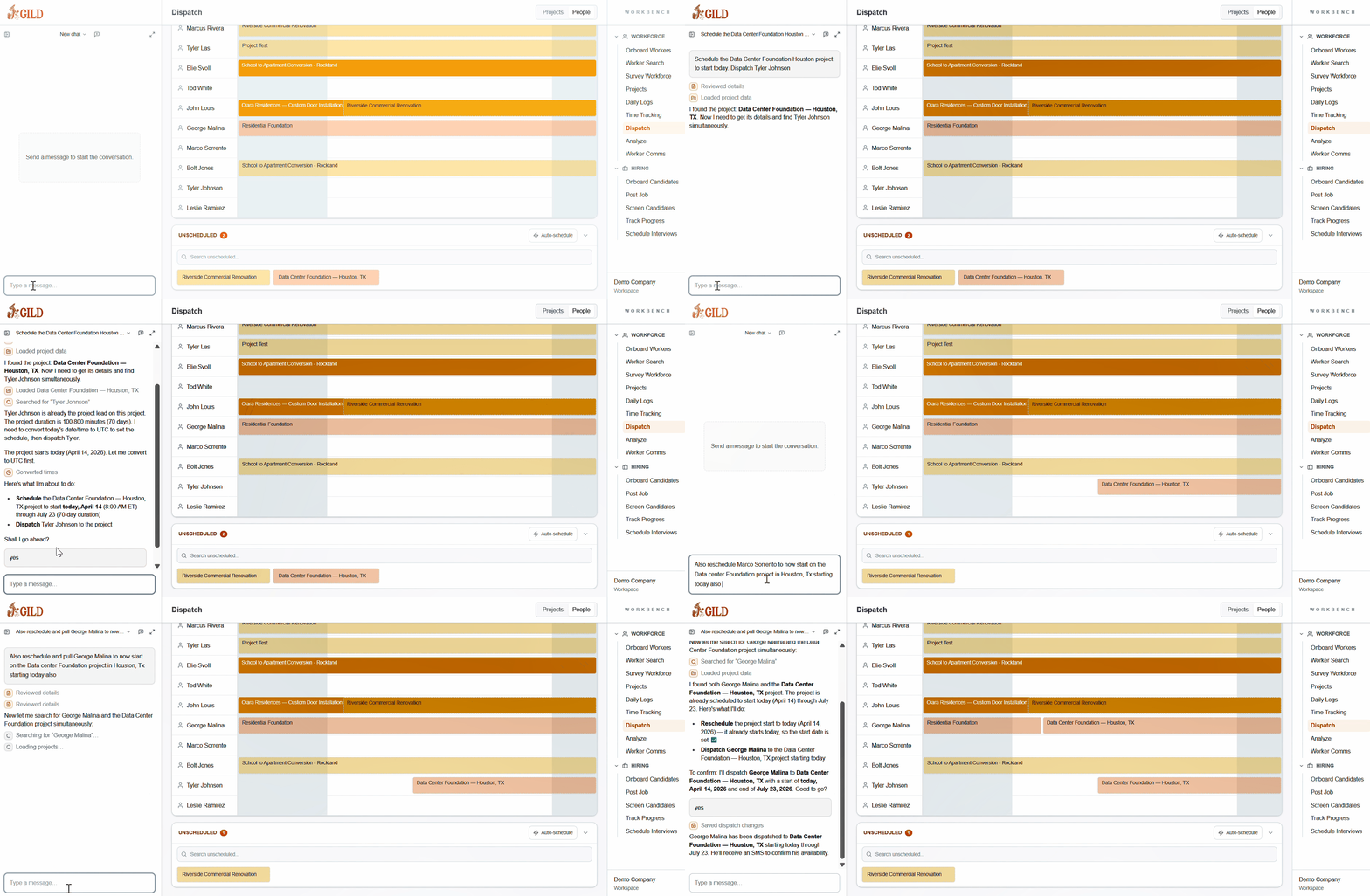
Shown aboveWorker timeline with color-coded project assignments, unscheduled queue, and AI-powered auto-schedule
One View. Every Worker. Every Job.
The dispatch console gives ops teams a live timeline across your whole workforce — scheduled, unscheduled, and everything in between.
Worker Timeline
See every worker's current assignments as color-coded bars across a Gantt view — who is on what job, for how long, and where gaps exist.
Unscheduled Queue
Open projects that need crews surface in a queue at the bottom. One click sends them to the right worker — or use Auto-schedule to fill them all at once.
AI Chat Sidebar
Issue dispatch commands, ask about worker availability, or trigger a full schedule build — all from a conversation without leaving the view.
Scheduling Meets Execution
- Plan by project, site, or crew with a single operational view
- Issue and confirm dispatches without phone-tag or scattered group chats
- Reassign workers from one project to another while keeping time tracking, job costing, and dispatches up to date
- Auto-generate schedules for dozens of unscheduled projects at a time
- Create optimized project schedule assignments based on worker skills, availability, and geography
- Track who is assigned where across active jobs with clear, logged handoffs
Stop Juggling Spreadsheets And Group Texts
Most contractors schedule in one place, dispatch in another, and track confirmations in a third. Forge puts the whole loop in one system so nothing falls through.
- No more whiteboard schedules that don't match reality
- No more calling down a list to fill a last-minute opening
- No more guessing who confirmed and who didn't
See Scheduling & Dispatch In Forge
Get a personalized walkthrough showing how Forge handles scheduling & dispatch for your operation.
Set up your workspace, tour every module you want, and get started with Gild today
By submitting, you agree to our Terms and Privacy Policy.
Or Talk To Our Team
Schedule A Call