
Forge
What Was Bought. What Was Budgeted. The Difference.
Crews text receipts and material logs from the field. Forge captures them against the project in real time — so when actual purchases start drifting from the estimate, you see it while you can still do something about it.
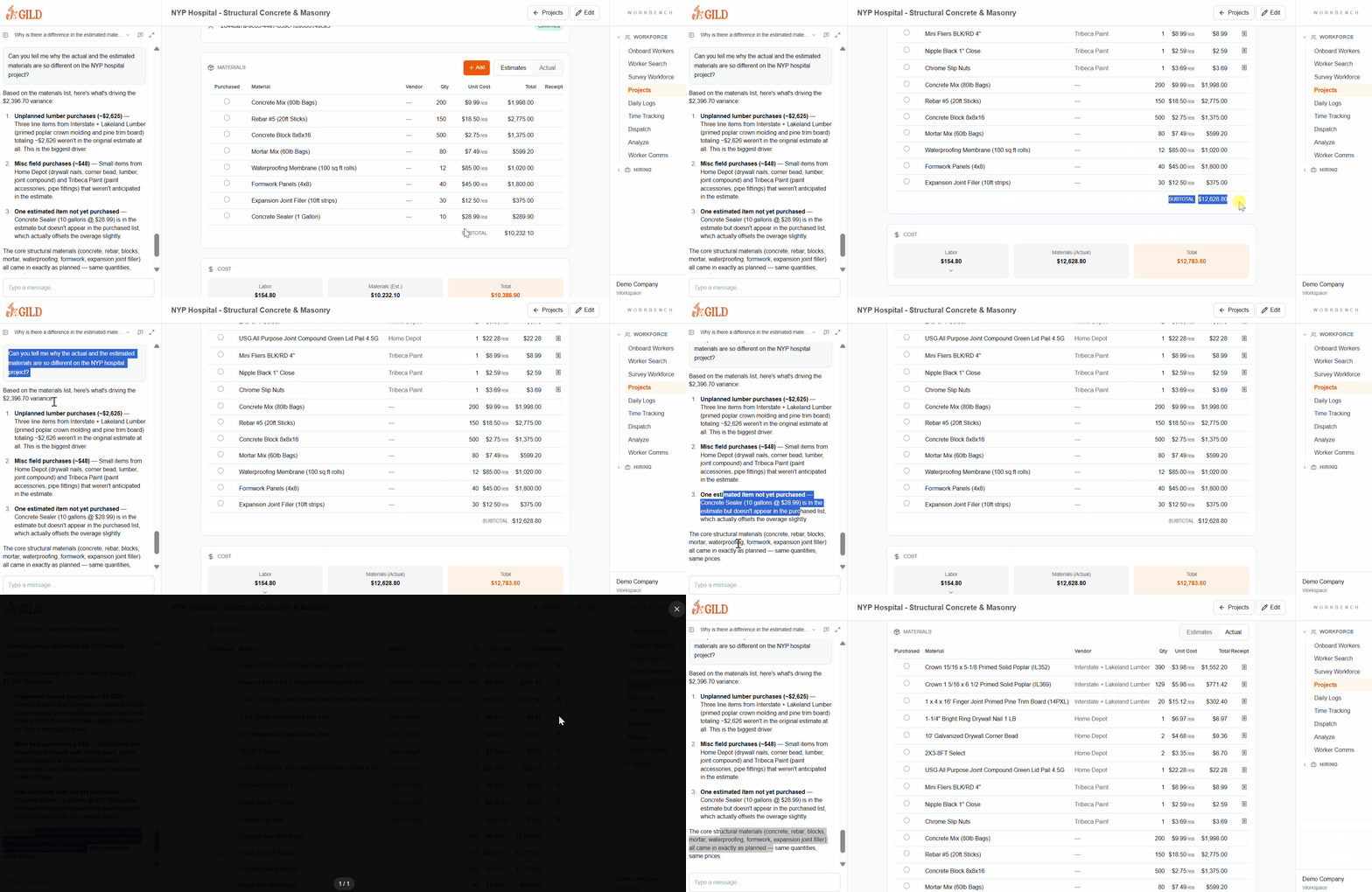
Shown aboveCatch the difference between estimated and actual purchases — understand why things are over or under budget
Connect Estimates And Actuals
Materials are logged at the source — from the field, in real time — so estimate-to-actual variances surface during the job, not after it closes.
Field Receipt Capture
Text A Receipt. It's Logged.
Workers photograph receipts or invoices on-site and send them by text. Forge captures the purchase against the right project instantly — no back-office data entry required.
Real-Time Actuals
Purchases Hit The Record Immediately
Every logged material or invoice updates the project's actual costs in real time. The office sees what was spent before the crew is back in the yard.
Estimate vs. Actual
Catch The Gap While You Can Act
Forge surfaces the difference between estimated and actual material costs as work progresses — so you're investigating variances during the job, not explaining them after.
Budget Visibility
See Exactly Where You're Over Or Under
Line-by-line variance by project and cost code. When a category is running hot, it's visible in time to adjust purchasing, scope, or billing.
From Field Receipt To Budget Variance — No Manual Entry
Text From The Site
Workers photograph receipts or invoices and send them by text. Forge logs the purchase against the right project — no paperwork, no back-office data entry.
Track Actuals In Real Time
Every logged purchase updates the project's material costs immediately. The office sees what was spent before the truck is back in the yard.
Spot The Variance
Forge surfaces the difference between estimated and actual material costs so project managers can investigate and act — not just report.
- Text a photo of a receipt or invoice directly from the field to log it instantly
- Log actual materials purchased and used against the project in real time
- Compare estimated vs. actual material costs as work progresses
- See line-by-line where purchases are over or under budget
- Tie every material entry to a specific project and cost code automatically
- Reduce end-of-job surprises by catching overruns during the job
The Office Shouldn't Find Out At Month-End
When material tracking is an afterthought, margins erode quietly. By the time receipts get reconciled, the job is already over budget and there's nothing left to do about it.
- No more receipts stuffed in a truck console until Friday
- No more guessing what was bought for which job
- No more material overruns that only show up at close-out
- No more 'we'll figure out the variance later' conversations with accounting
See Materials Management In Forge
Get a personalized walkthrough showing how Forge handles materials management for your operation.
Set up your workspace, tour every module you want, and get started with Gild today
By submitting, you agree to our Terms and Privacy Policy.
Or Talk To Our Team
Schedule A Call